Solar Monitoring App Not Working? Is Your Production Really Down?
- A blank app almost always means lost communication, not lost production.
- Top causes: changed Wi-Fi password, new router, unplugged or rebooted gateway, weak signal, dead cellular link.
- Confirm real output at the inverter display or your utility meter before you panic.
- Plenty of comms issues fix by reconnecting the gateway to Wi-Fi — no rooftop work needed.
- A gray-out that never comes back can hide a real fault, so don't ignore data that stays dark.
Where the problem usually is
About three of four residential solar service calls trace back to the inverter or comms — not the panels themselves. That's why we run diagnostics first.
Why did my solar monitoring app stop working?
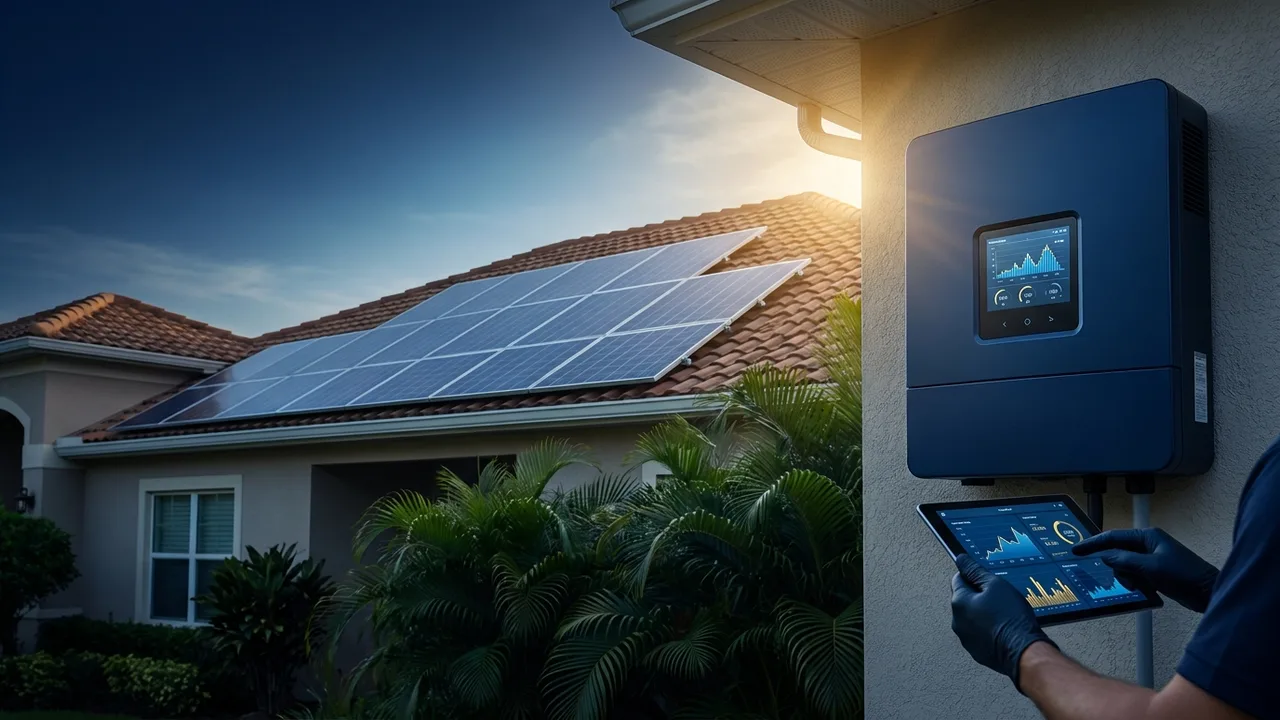
Your monitoring app doesn't measure production straight off the roof. It leans on a small device in your home — an Enphase IQ Gateway, a SolarEdge inverter, or a similar gateway — that reads the system and uploads the data over your internet. When that link breaks, the app goes blank or shows gray, stale, or zero data even though your panels are producing just fine.
Put simply, a dead app is way more often a communication problem than a power problem. And that's good news, because comms issues are usually cheaper and easier to fix than an electrical fault. This post is part of our solar maintenance and repair guide and picks up where why did my solar panels stop producing leaves off.
The most common reasons monitoring drops out
Nine times out of ten, it's one of these:
- You changed your Wi-Fi password or router. The gateway's still trying to log in with the old credentials, so it can't upload anymore. This is the number-one cause, hands down.
- The internet or router went down or rebooted. Some gateways don't reconnect clean on their own.
- The gateway lost power. If it shares an outlet that got unplugged, or its breaker tripped, it quits reporting.
- Weak Wi-Fi signal. Gateways often sit in a garage or on an outside wall, right at the edge of your router's range.
- A failed cellular modem. Systems that report over cellular instead of Wi-Fi can lose the SIM or the modem.
None of these mean your panels quit — they just mean the messenger went quiet.
How do I know if my production is actually down?
Before you assume the worst, confirm it with something other than the app:
- Check the inverter itself. A green light or an on-screen wattage reading means it's producing right now, app or no app.
- Check your utility meter or power bill. On a sunny midday, is your house pulling little or no power from the grid? If so, the panels are working.
- Look at the pattern. A comms issue makes the data go flat or blank all at once. A real production problem usually shows a dip or a drop to zero with the inverter throwing a fault light.
If the inverter's green and your grid usage looks normal, you almost certainly have a monitoring issue, not a power issue. If the inverter's red or amber, read solar inverter red light and error codes instead.
How to fix a solar monitoring connection
A lot of gateways can be reconnected without anybody climbing on the roof:
- Reconnect Wi-Fi. In the Enphase or SolarEdge app, re-enter your current Wi-Fi network and password so the gateway can log back in.
- Power-cycle the gateway. Unplug it (or flip off its dedicated breaker) for a minute, then restore power and give it several minutes to reconnect.
- Improve the signal. If the gateway sits far from the router, a mesh node or Wi-Fi extender nearby usually brings the link back.
- Reboot your router if the whole home internet's been flaky.
If it still won't report after that, the gateway or its modem may have failed, and that's a service call. A maintenance plan keeps monitoring watched so a silent dropout doesn't hide a real problem for months.
When a blank app is hiding a real problem
Here's the trap: because a dead app usually is just comms, people train themselves to ignore it — and then miss the one time it's masking an actual fault. If your gateway's been offline for weeks and you've never confirmed production another way, you could be losing real output and have no idea. That's exactly how a failed microinverter or a slow soiling loss slides by unnoticed until the power bill jumps.
Rule of thumb: a blank app is low-priority only if you've confirmed the system is actually producing. If you can't confirm it, treat it as a real issue and get eyes on it.
Get your monitoring restored
If you can't get the gateway back online, or you just want to be sure nothing's being masked, we'll reconnect your monitoring, verify true production, and check the whole system while we're at it — any brand, any installer. We serve The Villages and all of Central Florida. Book a system diagnostic, request a free quote, or call (407) 270-2542.
Frequently asked questions
Does a blank solar app mean my panels stopped working?
Why did my solar monitoring stop after I changed my Wi-Fi?
How do I check solar production without the app?
Can I fix solar monitoring myself?
Should I ignore my solar app if it goes blank?
Serving solar owners across Central Florida
We clean, repair, maintain and protect solar systems throughout the region — any brand, any installer. Find your town:
Need a hand with your solar?
Service Solar Pros — any brand, any installer, across Central Florida. Call (407) 270-2542.
Get a free quote